Build your first network
From nothing to a working network: the order to follow, with every recipe you need.
1Craft and place the controller
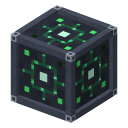 Craft and place the controller
The Controller only needs vanilla items: it is the one network block you can make right away. Placing it creates a network that you own. It covers a cube of 16 blocks on each axis around it.


2Give the controller some energy
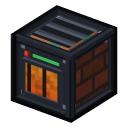 Give the controller some energy
Without energy the network is off. The simplest start is the Thermal Generator, also made from vanilla items. It is a multiblock: build the structure around its core, right-click to form it, put fuel in (coal is enough) and it sends its energy to the controller without wire.


3Craft the machines
 Craft the machines
The other blocks need materials that only two machines can make: the Induction Furnace (steel, silicon) and the Molding Press (plates, wires). They are also made from vanilla items, and connect to the network by themselves (place them within range of the controller): 20 FE/t while they work.
 Molding Press


4Prepare the materials
 Prepare the materials
In the furnace, an iron ingot and coal make steel, quartz and sand make raw silicon. In the press, with the plate or the wire mold, ingots become plates or wires. With a bit of copper you can make the Basic Circuit.
 Basic Circuit


5Craft the terminal, the rack and a disk
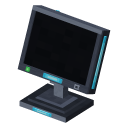 Craft the terminal, the rack and a disk
The Terminal shows the stock, the Disk Rack holds the disks. A Storage Disk T1 is made from a Disk Casing and a Storage Core T1.
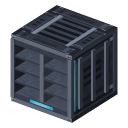 Disk Rack
 Storage Disk T1
 Disk Casing
 Storage Core T1


6Place everything in range and store your items
Place the terminal and the rack within 16 blocks of the controller (on each axis): they join the network by themselves. Right-click the rack to put the disk in, then right-click the terminal: the grid opens. Click it with an item on your cursor to store it, or Shift-click an item in your inventory.
To automate, place a Universal Port against a chest: in import mode it empties the chest into the network; in export mode it fills it.
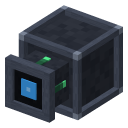 Universal Port
Check that it works
Sneak and right-click the controller (or the terminal) for a short status above your hotbar: the network name, the number of devices and the range. A normal right-click on the controller opens its screen, with the status, the usage, the autonomy and the list of devices.
For this small network (controller, a rack with 8 disks, a terminal with its screen on, one port), count about 20 FE/t: a thermal generator makes 60. Energy in detail →
What next
- Disks & tiers : move up to higher tiers.
- Machines & modules : modules to go faster.
- All recipes