Terminal
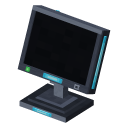
Opens the contents of the whole network in one grid: search, sort, take and store items from anywhere within range of the controller.
BlockNetworkMinecraft 1.21.1 · NeoForge 21.1
How to get it
Iron PlateQuantum StorageGlassMinecraftIron PlateQuantum StorageCopper WireQuantum StorageRaw SiliconQuantum StorageCopper WireQuantum StorageIron PlateQuantum StorageRedstone DustMinecraftIron PlateQuantum Storage
TerminalQuantum Storage


How to use it
Place it within range of a controller: it joins the network by itself. Right-click it to open the grid.
Left click takes a stack, right click takes half a stack, Shift-click sends a stack to your inventory. Click the grid with an item on your cursor to store it (right click: just one). Shift-click an item in your inventory to store the whole stack.
The search field filters by name; type @ and a mod id to filter by mod. The button next to it sorts by amount or by name.
It uses 1 FE/t while its screen is off and 4 FE/t while it is on.
 Controller
 Universal Port