Universal Port
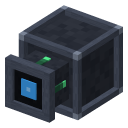
Moves items between the network and the chest it is attached to, in import or export mode, with a 9-slot filter, a redstone mode and a priority.
How to get it


How to use it
Place it against a chest (or any block with an inventory): it joins the network. Right-click to open its screen, with three tabs: General, Settings and Filter.
Import takes items from the chest into the network. Export gives items from the network to the chest. Each operation moves up to 16 items, once per second.
The filter has 9 slots: click a slot with an item to add it. As a whitelist, only those items move; as a blacklist, everything moves except them.
Target: when exporting, it fills the chest up to N of an item; when importing, it leaves N in the chest. 0 means no limit (Shift: ±64).
Priority, from -99 to 99: when several ports act on the same tick, the highest goes first (Shift: ±10). Redstone: ignored, active with a signal, or active without a signal.
 Terminal
 Disk Rack